


Client portal · Logistics operator dashboard · Driver app
Request, assign and track every transport service in a single system.
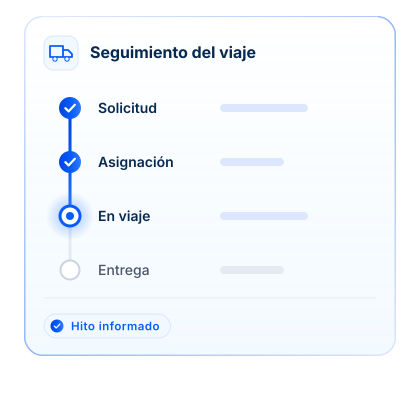
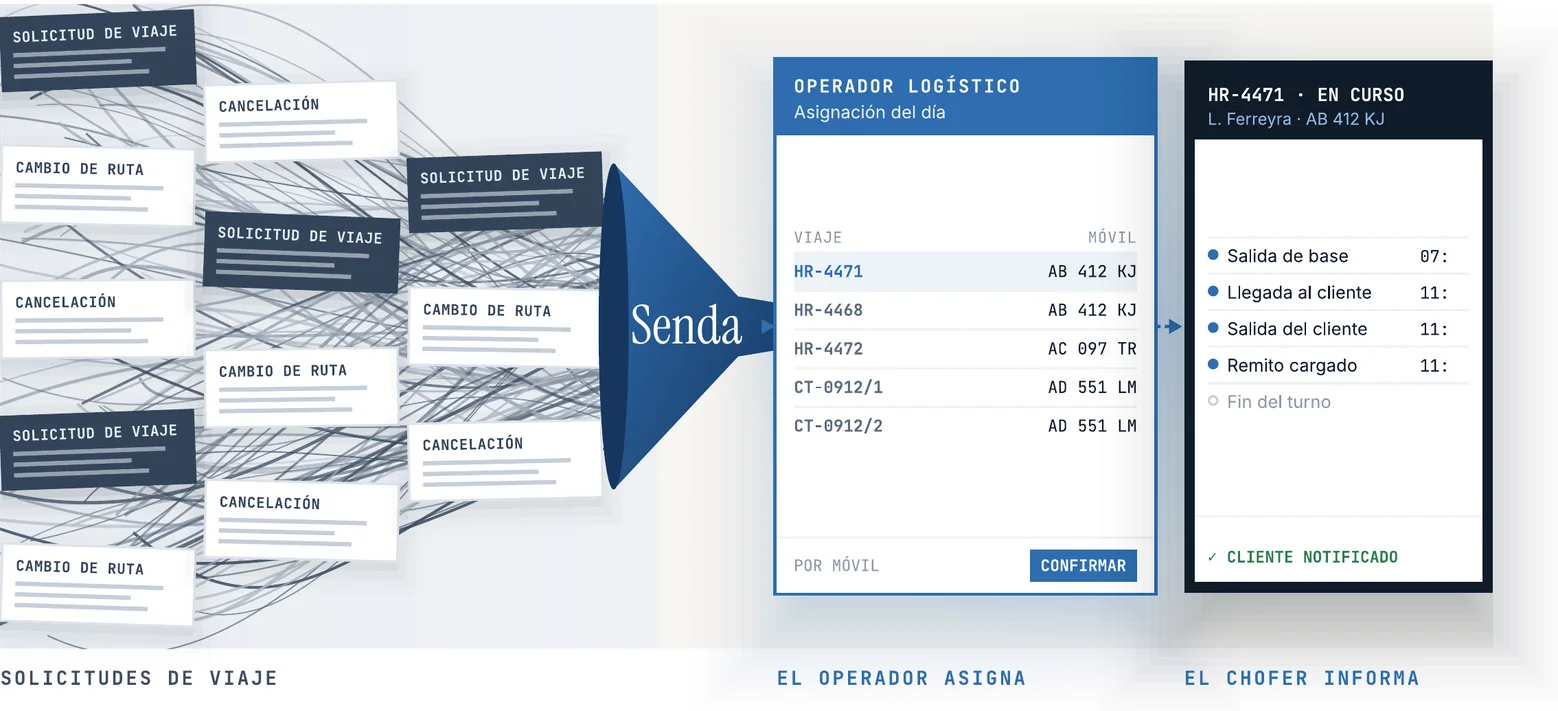
The system replaces phone requests and paper reports. The client enters transport requests, the logistics operator assigns a driver and vehicle, and the driver reports each milestone from a phone. The client is kept informed automatically.
- Delivery
- Containers
- iOS · Android
Client self-service
Each client enters requests and tracks the progress of their transport services.
The portal replaces phone requests and email exchanges. Each client has an account, enters requests with the information required for the operation, and can check the status of each service at any time.
Grid or form
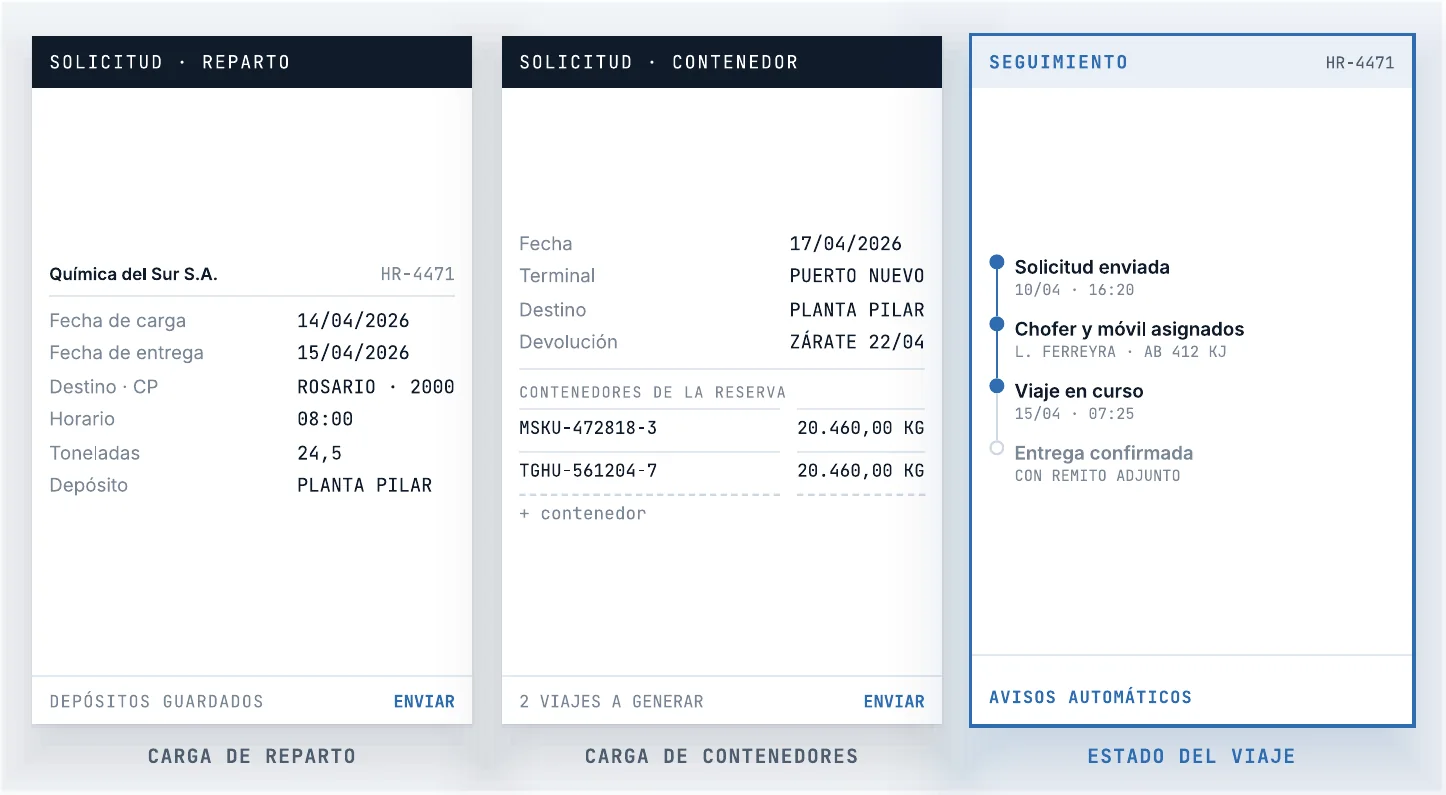
High-volume requests are entered in a spreadsheet; individual requests are entered in a form.
One booking, multiple transport services
Shared data is entered once, and each container generates its own transport service.
Customer-specific fields
Preset depots and required fields configured for each account.

Assignment and operational control
The operator manages the fleet and oversees daily operations.
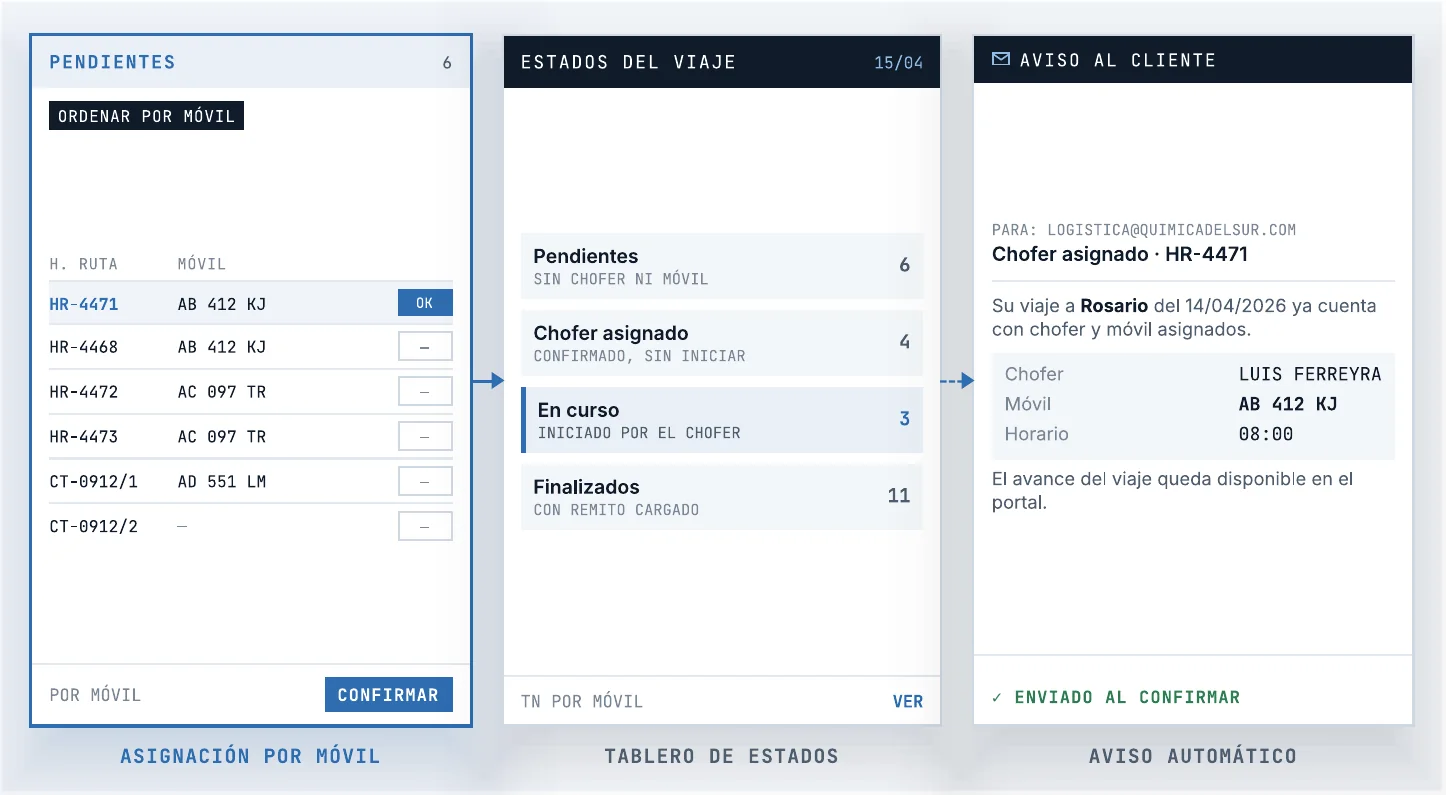
All requests arrive on a single dashboard. The operator groups services by vehicle, assigns a driver, confirms the schedule, and the customer is notified immediately. Each service moves through four statuses until it is closed.
Grouped by vehicle
All services for a single vehicle
Confirmation by service
And reassignment before the service starts
Activity reports
By customer and driver
Master records
Customers, drivers, and depots
On-the-road updates
The driver reports each milestone from their phone.
An app designed for use on the road, with minimal data entry for each service. The driver reports their shift, completes the vehicle inspection, and documents each delivery. Information reaches the dashboard immediately, and the delivery note travels directly to the customer.
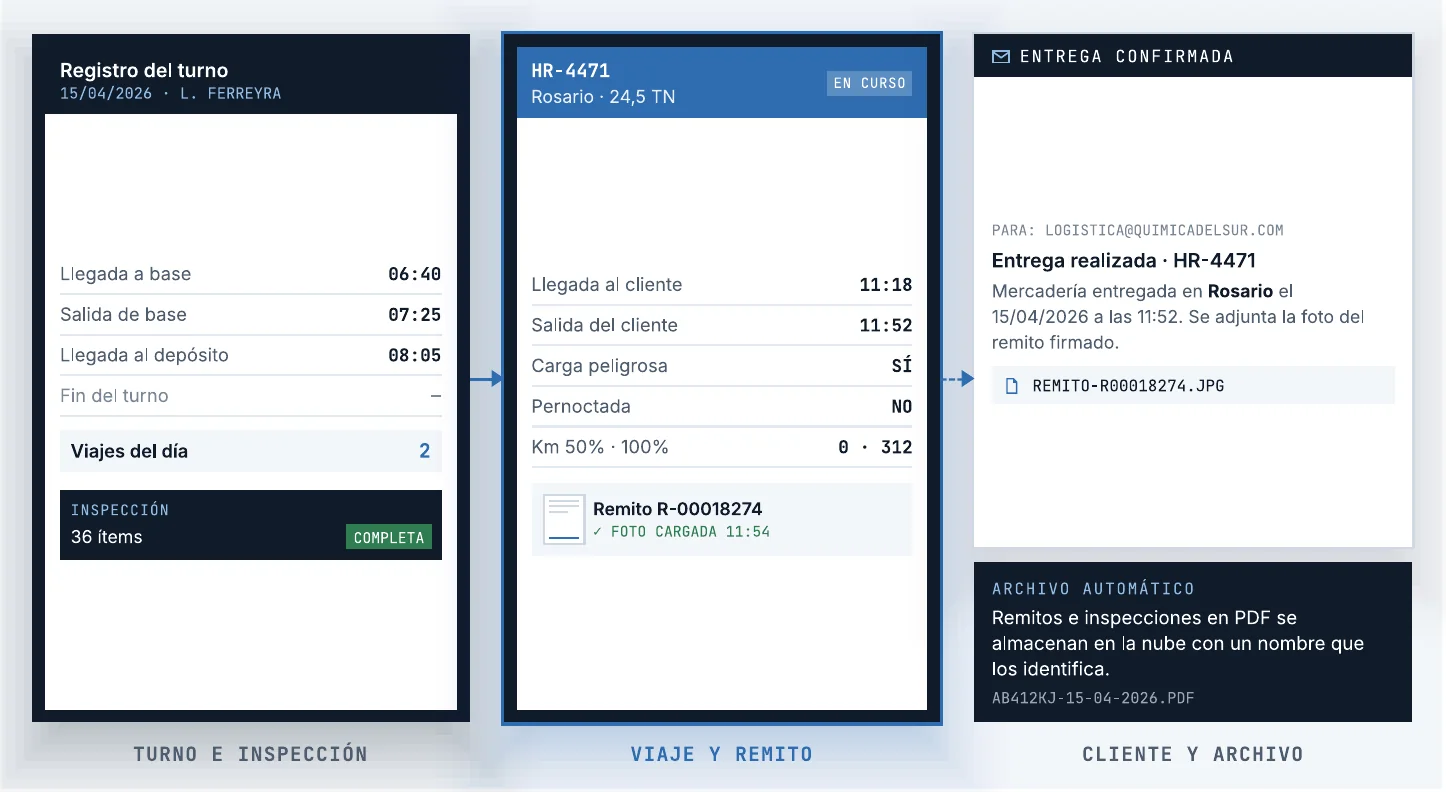
Five-section inspection
Documentation, vehicle condition, personnel safety, vehicle safety, and spill kit.
The delivery note, in a photo
Once uploaded, the customer receives a delivery notification with the image attached.
Designed for the road
A straightforward interface with no prior training required.
Implementation
An already developed system that can be implemented in a few weeks.
The system includes
- Customer portal for transport requests
- Logistics operator dashboard for fleet and transport management
- Driver app for iOS and Android
- Automatic assignment and delivery notifications
- Activity reports by customer and driver
Getting started
- 1
Configuration
Set up customers, drivers, vehicles, and depots.
- 2
Operational test
A group of customers and drivers uses the system with support.
- 3
Rollout
All accounts and the entire fleet go live.
- 4
Ongoing support
Improvements and assistance with daily use.
Frequently asked questions
How does a high-volume customer enter requests?
On a spreadsheet-like grid, by adding rows. To enter requests one at a time, they can switch to the form view using the same button.
Can an assignment be changed once it has been made?
Yes, as long as the driver has not started the service. The customer receives a new notification with the updated details.
Where are delivery notes and inspections stored?
In a cloud repository, identified by customer, vehicle, and date, and accessible from the operator dashboard.
How are services assigned?
At the logistics operator's discretion, a single request can generate multiple independent services, each with its own assigned driver and vehicle.
What information does the customer receive during transport?
The assigned driver's name and vehicle, progress updates reported by the driver, a digital copy of the delivery note, and full details when the service is closed.
Can a customer have multiple users?
Yes. Each account supports multiple authorized email addresses, and all requests are consolidated under the same customer.